 Book a Call
Introduction to IT Automation#
IT automation is the process of using software tools and frameworks to create repeated processes that replace manual work in data centers and cloud deployments. This technology allows businesses to streamline operations, reduce human intervention, and enhance efficiency across various IT tasks. IT automation is distinct from orchestration, although both terms are often used together. While automation focuses on performing specific tasks without human intervention, orchestration involves coordinating these automated tasks into cohesive workflows for both IT and business processes.
How IT Automation Works#
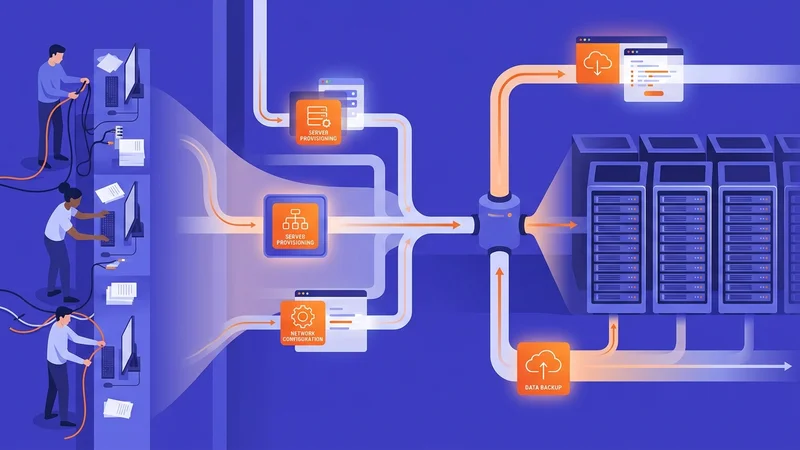
IT automation relies on software tools to define and execute a series of detailed actions. These actions can be triggered manually or by external events, such as changes in IT capacity demand. For instance, IT automation platforms like Microsoft Windows PowerShell use scripts to automate tasks such as provisioning virtual machines or creating backup processes. By combining multiple scripts, administrators can achieve complex automation outcomes, making it particularly beneficial for frequently performed tasks.
Applications of IT Automation#
Incident Management#
IT automation plays a crucial role in incident management by enabling enterprises to respond quickly to major incidents. Automated systems can create incident management tickets and assign them to the appropriate personnel or queues, reducing the duration and cost of incidents. This not only benefits the company but also its customers by minimizing downtime and errors.
Application Deployment#
Automation is essential in application deployment, whether using traditional or continuous integration and continuous deployment (CI/CD) approaches. By automating tasks during testing and deployment, organizations can improve efficiency and reduce human errors. IT automation ensures that applications are deployed systematically, with all necessary services configured from the outset, enhancing reliability and transparency across IT staff.
Security and Compliance#
IT automation helps enforce security and compliance policies by automating steps throughout the infrastructure. This proactive approach to security makes compliance and auditing easier by incorporating standardized cybersecurity processes. Automation tools can detect unauthorized changes and restore systems to their correct configurations, ensuring consistency in IT operations.
Book a call
Benefits of IT Automation#
Cost Reduction and Increased Productivity#
By automating repeatable operational tasks, such as application deployment and patch management, IT departments can save money by operating more efficiently and reducing errors. This efficiency also boosts productivity as workers are freed from mundane tasks to focus on more strategic projects.
Increased Availability and Reliability#
IT automation enhances system availability by automating backup and recovery systems, as well as monitoring and remote communication. This significantly reduces downtime and expedites disaster recovery. Additionally, automating repetitive tasks reduces costly errors, improving reliability in large networks with multiple operating systems.
Flexibility and Governance#
While automated processes remain static until updated, organizations must have workflows to update and validate these processes over time. IT automation ensures consistency in operations, regardless of the administrator involved, which is crucial for corporate governance and regulatory compliance.
Types of Automation#
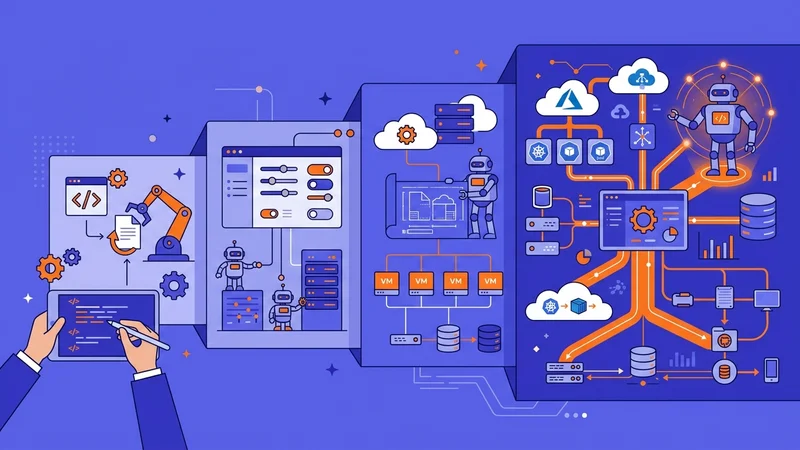
IT automation is part of a broader spectrum of automation technologies, including:
-
Service Automation: This involves using technology to deliver services automatically, often overlapping with IT automation.
-
Process Automation: This improves workflows by automating repetitive tasks, commonly seen in manufacturing settings.
-
Business Process Automation (BPA): BPA applies IT automation to achieve business goals like increased productivity and lower operational costs.
-
Robotic Process Automation (RPA): RPA uses software robots to mimic and execute business processes.
-
Intelligent Automation: This combines AI, BPM, and RPA to streamline decision-making across organizations.
Future of IT Automation#
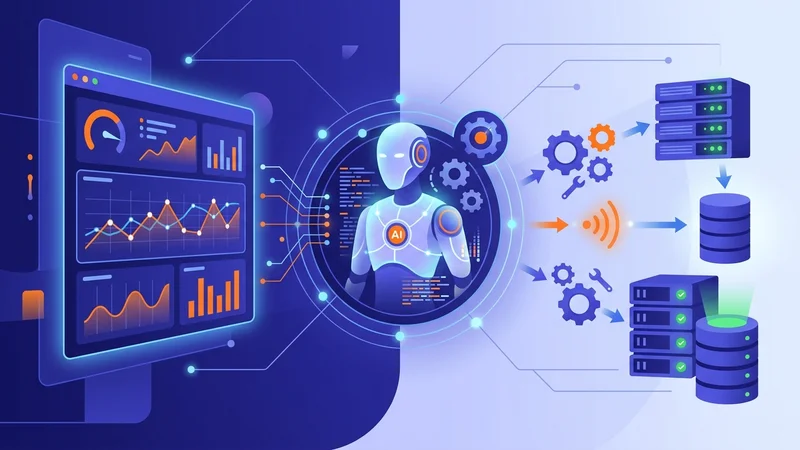
The future of IT automation involves integrating artificial intelligence (AI) and machine learning (ML) to create more intelligent and autonomous systems. These advanced tools can analyze system performance data to detect anomalies and trigger corrective actions, further enhancing efficiency and reliability.
AI and Machine Learning Integration#
AI and ML technologies will play a pivotal role in the evolution of IT automation. By synthesizing data on configurations and performance, automation tools can establish benchmarks for normal system operations. Deviations from these benchmarks can trigger automated corrective actions, ensuring systems operate optimally.
Challenges and Opportunities#
While IT automation offers numerous benefits, it also presents challenges such as the risk of undetected failed processes and the need for significant upfront investments in software and training. However, with careful planning and integration, businesses can leverage IT automation to drive growth and efficiency, positioning themselves for success in a rapidly evolving digital landscape.
Implementing IT Automation#
Implementing IT automation requires a strategic approach. Organizations must identify repetitive tasks that can be automated, invest in appropriate software tools, and ensure that automated processes are regularly updated and validated. This not only enhances operational efficiency but also supports long-term business goals by freeing resources for strategic initiatives.
Role of IT Automation Managers#
As IT automation becomes more prevalent, the role of IT automation managers is emerging as critical. These professionals oversee the development and maintenance of automation processes, ensuring they align with business objectives and contribute to overall digital transformation efforts.
Digital Transformation and IT Automation#
IT automation is a key component of digital transformation, enabling businesses to scale efficiently and respond quickly to changing market conditions. By automating core IT processes, organizations can focus on innovation and customer-centric strategies, driving business growth and competitiveness.
Real-Time Data and AI Integration#
Combining real-time data with AI enhances the capabilities of IT automation. This integration allows companies to personalize customer experiences, improve productivity, and adapt quickly to market changes. By leveraging these technologies, businesses can achieve higher levels of efficiency and customer satisfaction.
Low-Code Solutions for Rapid Automation#
Low-code solutions are becoming increasingly important for rapid automation deployment. These tools enable non-technical staff to build and deploy automation workflows quickly, reducing the time to value and increasing operational agility.
Conclusion of Key Points#
IT automation is transforming the way businesses operate by enhancing efficiency, reducing costs, and improving reliability. As technology continues to evolve, integrating AI and ML will be crucial for creating more intelligent and autonomous systems. By understanding the applications and benefits of IT automation, organizations can position themselves for success in a rapidly changing digital landscape.
Written by

Mario Meyer is the founder of Reyem Tech and a fractional CTO for owner-run companies in Canada and the US. He has 25+ years of executive and hands-on engineering experience across Laravel, Rails, React, AWS, Azure and Kubernetes, and works with owners on technology strategy, due diligence and getting stuck software projects back on track.
Frequently Asked Questions
What is IT automation?
IT automation is the process of using software tools and frameworks to create repeated processes that replace manual work in data centers and cloud deployments, enhancing efficiency and reducing human intervention.
How does IT automation work?
IT automation works by defining and executing a series of detailed actions using software tools. These actions can be triggered manually or by external events, such as changes in IT capacity demand.
What are the applications of IT automation?
IT automation is applied in various areas, including incident management, application deployment, and security and compliance. It helps in quickly responding to incidents, deploying applications efficiently, and enforcing security policies.
What are the benefits of IT automation?
The benefits of IT automation include cost reduction, increased productivity, improved system availability, and enhanced reliability. It also supports corporate governance and regulatory compliance.
What is the future of IT automation?
The future of IT automation involves integrating artificial intelligence (AI) and machine learning (ML) to create more intelligent and autonomous systems, enhancing efficiency and reliability.
How does IT automation differ from IT orchestration?
IT automation focuses on performing specific tasks without human intervention, while IT orchestration involves coordinating these automated tasks into cohesive workflows for both IT and business processes.
What role does AI play in IT automation?
AI plays a pivotal role in IT automation by analyzing system performance data to detect anomalies and trigger corrective actions, ensuring systems operate optimally.
What are some common types of automation related to IT automation?
Common types of automation related to IT automation include Service Automation, Process Automation, Business Process Automation (BPA), Robotic Process Automation (RPA), and Intelligent Automation.
What are the challenges of implementing IT automation?
Challenges of implementing IT automation include the risk of undetected failed processes and the need for significant upfront investments in software and training.
How does IT automation support digital transformation?
IT automation supports digital transformation by enabling businesses to scale efficiently and respond quickly to changing market conditions, allowing them to focus on innovation and customer-centric strategies.