 Book a Call
You started on QuickBooks and a handful of spreadsheets, and for years that was the right call. But somewhere between your tenth employee and your third "which version of this file is current?" email, the tooling stopped fitting the business. If you're researching a QuickBooks replacement, you've probably already discovered the uncomfortable truth: the question isn't really "which software?" It's build, buy, or integrate — and getting that call wrong costs Canadian SMBs years of workarounds or six figures of shelfware.
This is the framework we use as fractional CTOs to make that call for growing businesses — without a vendor commission influencing the answer.
The real signs you've outgrown QuickBooks#
Annoyance isn't the signal. Every accounting tool is annoying. These are the signals that the system, not the software, has hit its ceiling:
- Your month-end close takes days, not hours — because numbers live in three places and someone reconciles them by hand.
- You've built a shadow system in spreadsheets — inventory, job costing, commissions, or scheduling that QuickBooks was never meant to hold, maintained by one person who can never take vacation.
- Double entry is a job description. Someone re-types orders from your e-commerce platform, CRM, or field-service app into the books.
- You can't answer operational questions from your data — margin by product line, utilization by crew, landed cost by SKU — without an export and an afternoon.
- Compliance is getting real. More payroll provinces, inventory audits, or customer data obligations under PIPEDA than a small-business tool was designed to carry.
If two or more of those describe you, a replacement conversation is warranted. If none do, stop reading and keep your money — QuickBooks plus discipline beats a premature ERP every time.
Your three options: build, buy, or integrate#
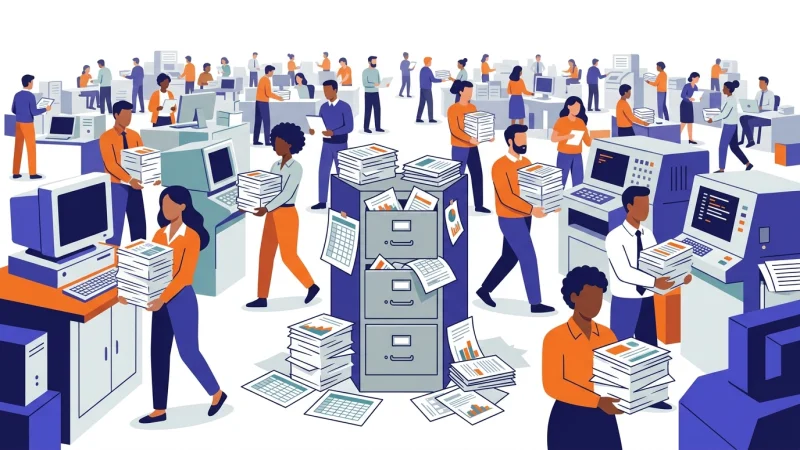
Every path out of the spreadsheet swamp is one of three moves, and each has a failure mode the sales pitch won't mention.
Buy — an off-the-shelf ERP, industry vertical suite, or mid-market accounting platform. Right when your processes are close to industry-standard and you're willing to adapt to the software's way of working. The failure mode: buying a system for the company you want to be in five years, then drowning in configuration you'll never use while paying per-seat for it.
Build — custom software for the workflows that make you money. Right when your competitive advantage is the process, and no vendor's data model fits it. The failure mode: building a custom system for commodity problems (accounting, payroll) that vendors solved decades ago — you become the maintainer of undifferentiated plumbing.
Integrate — keep QuickBooks (or replace it modestly) and connect the tools you already use so data flows without re-typing. Right more often than either camp admits: most "we've outgrown QuickBooks" pain is actually integration pain wearing a costume. The failure mode: a fragile web of point-to-point connections nobody documents, which becomes its own key-person risk.
The honest answer for most growing businesses is a combination: buy the commodity core, integrate what already works, and build only the thin layer that's genuinely yours. The proportions are the whole decision.
Book a call
Why the free advice you'll find first isn't neutral#
Search for QuickBooks alternatives and the first ten results are "free" software-matching services and comparison sites. Free to you — because the vendor pays them a commission when you buy. That's not a scandal; it's a business model. But understand what it means: the shortlist you receive is drawn from who pays for placement, not from who fits your operation, and "integrate what you have" — frequently the right answer — earns the matchmaker exactly nothing, so you will never hear it from them.
The same conflict shows up closer to home. Implementation partners recommend the platform they resell. Your bookkeeper recommends what they know. None of these people are lying to you; they're answering a different question than yours. Vendor-neutral system selection means the advisor's fee is the same whichever answer wins — including the answer where you buy nothing.
The five questions that actually decide it#
Strip away the demos and the feature matrices, and the build-buy-integrate call comes down to five questions:
- Does a vendor's data model fit your operation? Not the features — the data model. If your business thinks in jobs, crews, and change orders and the software thinks in SKUs and warehouses, no amount of configuration bridges that.
- What's the integration surface? Count the systems that must exchange data. Each connection is ongoing cost, whichever path you choose. A platform with strong native integrations to what you keep may beat a "better" platform that's an island.
- Who operates it after go-live? Custom software needs a maintainer relationship. A mid-market ERP needs an admin who actually learns it. If the honest answer is "nobody," that constraint should decide the path — not ambition.
- What do compliance and customers require? Data residency, audit trails, PIPEDA obligations, and enterprise-customer security questionnaires can eliminate options faster than any feature comparison.
- What does each path cost over three to five years — not at signature? Licences plus implementation plus integration plus the internal time to run it, against the cost of the status quo (that reconciliation-by-hand has a salary attached). This is total cost of ownership arithmetic, and it regularly flips the "obvious" answer.

Run the decision like a CTO would#
Here's what this looks like when it's done properly — the artifact set we produce when a client asks us to make this call with them:
- A decision memo: build, buy, or integrate (usually: which combination), with the reasoning written down so the board and your future self can audit it.
- A vendor scorecard: the two or three real candidates scored against your operation's requirements — not a feature checklist, a fit assessment.
- An integration-risk register: every system connection the chosen path requires, with the fragile ones flagged before they're load-bearing.
- A three-to-five-year TCO comparison per path, in dollars your accountant can check.
Whether you produce this yourself or bring in help, insist on the written form. A decision this size that lives in a demo-day gut feeling gets re-litigated every quarter; a decision memo gets executed.
Start with a diagnostic, not a demo#
The single most common mistake we see: booking vendor demos first. A demo is a sales instrument — it will structure your requirements around what the product does well. Sequence it the other way: understand your systems, data flows, and real constraints first, then let vendors respond to your requirements instead of writing them.
That diagnostic is exactly what our fixed-fee Technology Health Check produces: an independent map of your current stack, where it's actually failing, and a prioritized plain-English roadmap — which frequently answers the build-buy-integrate question on its own, and always makes the vendor conversations ten times sharper. No vendor commissions, no resale margin, no stake in which answer wins.
Make the call once, properly#
If you're weighing a QuickBooks replacement — or wondering whether you need one at all — start with thirty minutes with a senior fractional CTO. Bring your toughest systems question; leave with a straight answer and a clear next step. Book a call, or start with the fixed-fee Technology Health Check and get the whole picture before any vendor gets a vote.
Written by

Mario is the kind of tech leader startups dream about but rarely get. A Fractional CTO with full-time firepower, he blends 25+ years of executive experience with hands-on dev chops that span Laravel, Ruby On Rails, React, React Native, AWS, Azure, Kubernetes, and much more. Whether he’s optimizing cloud costs, crafting MVPs, or mentoring founders, Mario’s brain runs like a load-balanced cluster—efficient, scalable, and always online. He’s got boardroom polish, dev terminal grit, and a sixth sense for turning chaos into clean architecture. From debugging Docker deadlocks to demystifying CDAP for SMBs, he moves fast and builds things—strategically.
Frequently Asked Questions
How do I know it's time to replace QuickBooks?
When the workarounds have their own workarounds: multi-day month-end closes, a shadow system of spreadsheets someone maintains by hand, re-typing data between systems, or operational questions your data can't answer without an export. If it's just feature frustration, discipline and better integration usually beat a migration.
Should we build custom software or buy off the shelf?
Buy for commodity processes (accounting, payroll, standard inventory), build only where your process is genuinely your competitive advantage, and integrate the tools that already work. Most growing businesses land on a combination — the real decision is the proportions, driven by data-model fit, integration surface, and who operates it after go-live.
How much does replacing QuickBooks cost?
It varies more by scope than by vendor. As planning ranges: a CRM-centred implementation typically runs $15K–$60K, and broader custom or ERP-replacement projects run $30K–$200K, plus internal time. These are typical averages for planning only — actual cost is assessed per project and scope, and is not a guaranteed price. An independent assessment like a Technology Health Check ($2,000, fixed) is the cheap way to scope the real number before committing to any of it.
Are free software recommendation services really neutral?
No — they're vendor-funded. The service is free to you because vendors pay commissions for placement, which means the shortlist reflects who pays, not who fits, and "keep what you have and integrate it" will never be their recommendation. Useful as a directory; not as advice.
What is vendor-neutral system selection?
Advice where the advisor earns the same fee whichever answer wins — build, buy, integrate, or do nothing. No reseller margin, no implementation upsell contingent on a specific platform, no referral commissions. It's the only structure where "you don't need new software" is a possible answer.