 Book a Call
Introduction to Responsive Website Development#
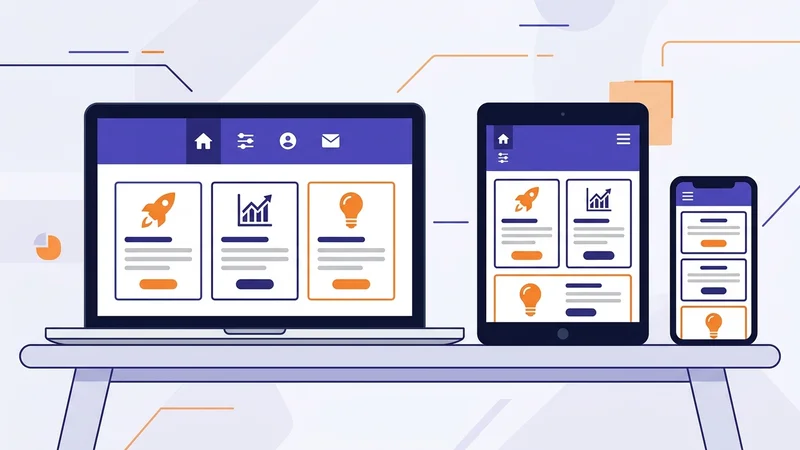
Responsive website development is a critical aspect of modern web design, focusing on creating websites that adapt to different screen sizes, orientations, and devices. This approach ensures that websites remain user-friendly and visually appealing across various platforms, from smartphones to desktop computers. The core of responsive design involves using flexible grids, responsive images, and CSS media queries to dynamically adjust the layout based on the device being used.
Principles of Responsive Design#
Responsive design is built around three key principles:
-
Fluid Grid Systems: These systems use relative units (like percentages) instead of absolute units (like pixels) to ensure that the layout adjusts according to the screen size.
-
Fluid Image Use: Images are set to scale within their containers, ensuring they do not exceed their intrinsic size and remain clear on various devices.
-
Media Queries: These are used to apply different styles based on specific conditions, such as screen size or orientation, allowing for tailored layouts for different devices.
Benefits of Responsive Website Development#
Responsive website development offers several benefits for businesses:

- Enhanced User Experience: By providing a consistent and intuitive interface across devices, businesses can improve user engagement and satisfaction.
- Accessibility: Responsive layout alone does not establish accessibility. Check keyboard access and reflow against applicable criteria in WCAG 2.2.
- Google Search: Google recommends responsive web design as an implementation pattern that is easier to maintain. For mobile-first indexing, keep primary content and metadata equivalent on mobile and desktop pages; responsive design is not a ranking guarantee. See Google’s mobile-first indexing guidance.
Adaptive vs. Responsive Design#
While both adaptive and responsive designs aim to provide mobile-friendly experiences, they differ in their approach:
-
Responsive Design: Dynamically adjusts the layout based on the device's screen size using CSS media queries. It is more fluid and adaptable, making it suitable for new website builds.
-
Adaptive Design: Uses static layouts designed for specific screen sizes. It is more rigid and often used for redesigning existing websites.
Book a call
Implementing Responsive Website Development#
Implementing responsive design involves several steps:
1. Planning and Design#
- Mobile-First Approach: Start by designing for smaller screens and then scale up to larger devices. This ensures that essential content and functionality are prioritized.
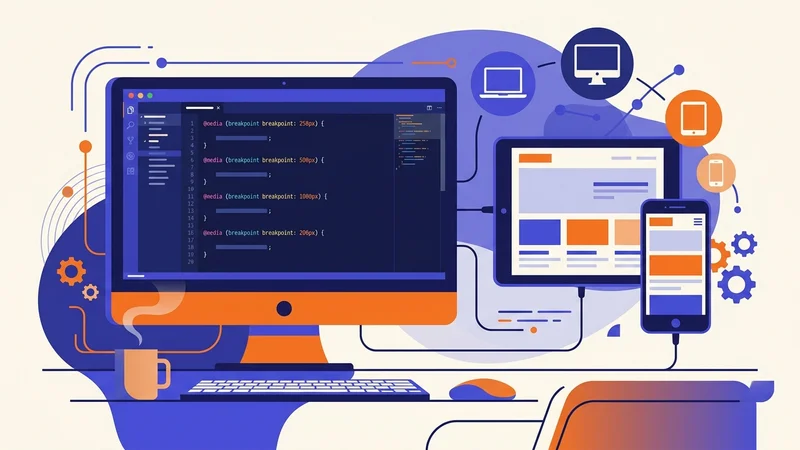
- Breakpoints: Identify key screen sizes where the layout needs to adjust significantly. Common breakpoints include mobile, tablet, and desktop sizes.
2. Development#
- HTML and CSS: Use HTML for structuring content and CSS for styling. Ensure that CSS includes media queries to handle different screen sizes.
- Bootstrap and Other Frameworks: Utilize frameworks like Bootstrap to simplify the process of creating responsive layouts. These frameworks provide pre-built responsive components and grid systems.
3. Testing and Deployment#
- Cross-Device Testing: Test the website on various devices to ensure compatibility and responsiveness.
- Continuous Monitoring: Regularly monitor the website's performance and make adjustments as needed to maintain optimal user experience.
Tools and Technologies for Responsive Website Development#
Several tools and technologies facilitate responsive website development:
- CSS Grid and Flexbox: These modern CSS layout methods are inherently responsive, making it easier to create flexible grids without extensive media queries.
- JavaScript Libraries: Libraries like jQuery can be used to enhance interactivity and responsiveness, though they should be used judiciously to avoid performance issues.
Challenges and Future Directions#
Despite the benefits, responsive website development presents challenges, such as managing complex layouts and ensuring performance across devices. As technology evolves, incorporating new features like touch events and pointer media queries will become increasingly important for enhancing user interaction on touch-enabled devices.
Best Practices for Responsive Design#
Best practices include:
- Accessibility: Ensure that the website complies with accessibility guidelines to reach a broader audience.
- Minimalism: Keep designs simple and intuitive to improve usability.
- Testing: Thoroughly test the website on various devices and browsers to ensure consistency.
By embracing responsive website development, businesses can create engaging, accessible, and user-friendly digital experiences that adapt seamlessly to the ever-changing digital landscape.
A responsive-site review you can run before launch#
Test the pages people rely on to complete a task: landing pages, navigation, forms, product or service details, and confirmation states. Check a narrow phone, a tablet-sized viewport, and a wide desktop; also increase text size and navigate with a keyboard. Look for clipped content, controls that are hard to reach, images that obscure text, and layouts that require sideways scrolling.
At each size, complete the same task and confirm that the information and actions remain available. Check form labels and error messages, visible focus, touch targets, and whether tables or diagrams still make sense. Test real content rather than only placeholder text, because long headings, translated labels, and validation messages often reveal layout failures.
WCAG 2.2's Reflow criterion sets a test at a width equivalent to 320 CSS pixels, where ordinary vertically scrolling content should work without two-dimensional scrolling. Google's mobile-first indexing guidance also says the mobile page should retain equivalent primary content and metadata. Treat responsive behavior as both a usability and content-quality check.
Written by

Mario is the kind of tech leader startups dream about but rarely get. A Fractional CTO with full-time firepower, he blends 25+ years of executive experience with hands-on dev chops that span Laravel, Ruby On Rails, React, React Native, AWS, Azure, Kubernetes, and much more. Whether he’s optimizing cloud costs, crafting MVPs, or mentoring founders, Mario’s brain runs like a load-balanced cluster—efficient, scalable, and always online. He’s got boardroom polish, dev terminal grit, and a sixth sense for turning chaos into clean architecture. From debugging Docker deadlocks to demystifying CDAP for SMBs, he moves fast and builds things—strategically.
Frequently Asked Questions
What is responsive website development?
Responsive website development is an approach to web design that focuses on creating websites that adapt to different screen sizes, orientations, and devices, ensuring a user-friendly and visually appealing experience across various platforms.
What are the core principles of responsive design?
The core principles of responsive design include fluid grid systems, fluid image use, and CSS media queries, which work together to dynamically adjust the layout based on the device being used.
What are the benefits of responsive website development?
The benefits of responsive website development include enhanced user experience, increased accessibility, and improved search engine optimization (SEO).
How does responsive design differ from adaptive design?
Responsive design dynamically adjusts the layout based on screen size using CSS media queries, while adaptive design uses static layouts designed for specific screen sizes.
What is the recommended approach for designing responsive websites?
The recommended approach is to start with a mobile-first design, prioritizing essential content and functionality, and then scale up to larger devices.
What tools and technologies are used in responsive website development?
Tools and technologies used include CSS Grid, Flexbox, JavaScript libraries like jQuery, and frameworks such as Bootstrap.
What are some best practices for responsive design?
Best practices include ensuring accessibility, maintaining minimalistic designs, and thoroughly testing the website on various devices and browsers.
What challenges does responsive website development present?
Challenges include managing complex layouts and ensuring performance across devices, as well as incorporating new features like touch events.
Why is testing important in responsive website development?
Testing is crucial to ensure that the website is compatible and responsive across different devices and browsers, maintaining an optimal user experience.
How does responsive design impact SEO?
Responsive design positively impacts SEO as search engines like Google favor responsive sites due to their ability to provide a better user experience across devices.